Branch

Case study of Branch- an end-to-end application design, built to seamlessly support teams in the workplace through the creative problem solving process.

Branch

Case study of Branch- an end-to-end application design, built to seamlessly support teams in the workplace through the creative problem solving process.

Branch

Case study of Branch- an end-to-end application design, built to seamlessly support teams in the workplace through the creative problem solving process.

Role

UX Designer

Role

UX Designer

Service

End-to-end

Service

End-to-end

Orange Flower
Orange Flower

Prototype Walkthrough

Prototype Walkthrough

I designed Branch end-to-end, guiding the project from early research and stakeholder interviews through concept development, prototyping, and multiple rounds of usability testing. Beginning with an open brief, research uncovered a key insight: teams need more than brainstorming tools—they need structured guidance that helps them think more creatively without disrupting existing workflows.

The result is a validated AI-supported collaboration platform that makes creative problem solving more accessible, engaging, and actionable. The prototype demonstrates how guided activities, AI facilitation, and collaborative workspaces help teams generate stronger ideas, align around solutions, and confidently move from divergent thinking to implementation.

Research and Insights

Research and Insights

Teams are expected to think creatively, collaborate effectively, and solve increasingly complex problems, but...many existing collaboration tools focus on organizing work rather than guiding the creative thinking process. Brainstorming often lacks structure, ideas lose momentum, and facilitators struggle to keep teams engaged and aligned.

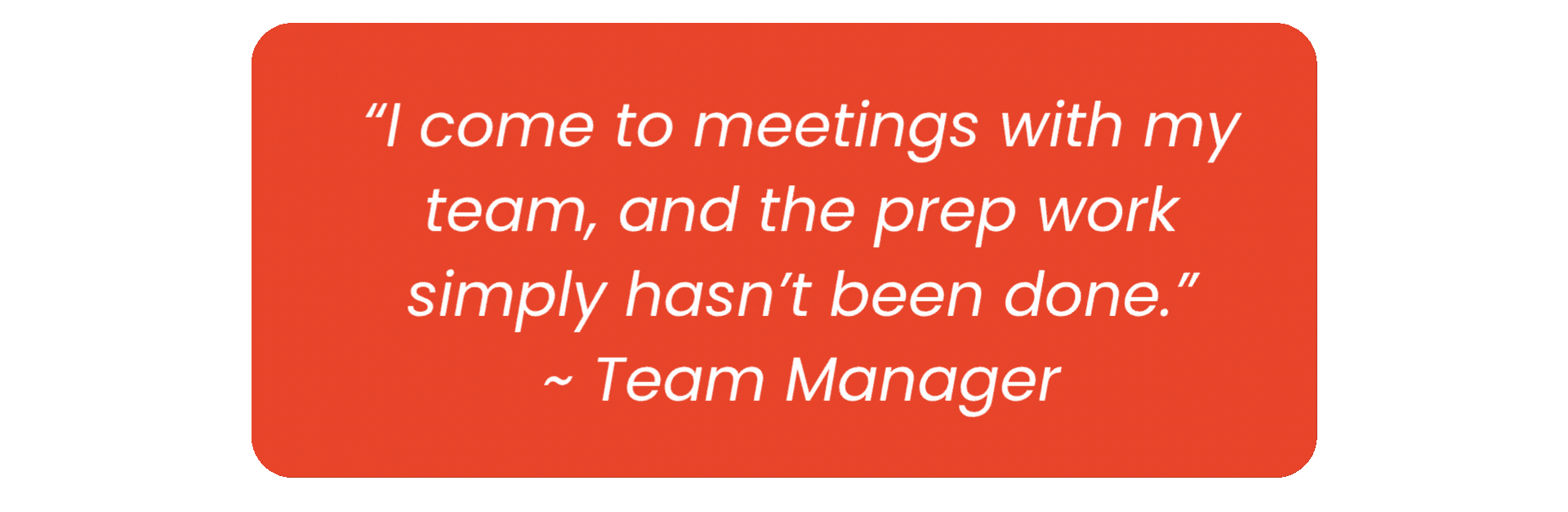
However, the biggest challenge uncovered through research wasn't a lack of ideas—it was a lack of confidence and process. Participants wanted support in how to think creatively, not just another place to capture their thoughts.

So... how might we help teams move beyond the first obvious solution and unlock more innovative thinking together?
Working Towards a Goal

I set out to create an experience that would help teams collaborate more creatively by providing structure without limiting flexibility. The goal was to empower participants to generate stronger ideas, support facilitators with guided activities and AI assistance, and create a collaborative workspace where every team member could confidently contribute from ideation through implementation.

Research · Phase 1

Research · Phase 1

With a question in my mind, I set out in search of answers.

I began with a competitive analysis, exploring existing creativity and collaboration tools to understand what solutions were available and where user needs were — or were not — being met. I examined how current products supported team ideation, problem solving, and collaboration, with a focus on identifying opportunities to improve structure, engagement, and creative confidence.

Throughout my research, analyzing platforms and tools designed for teamwork, brainstorming, and creative facilitation, several key findings emerged that helped identify gaps in the current experience:
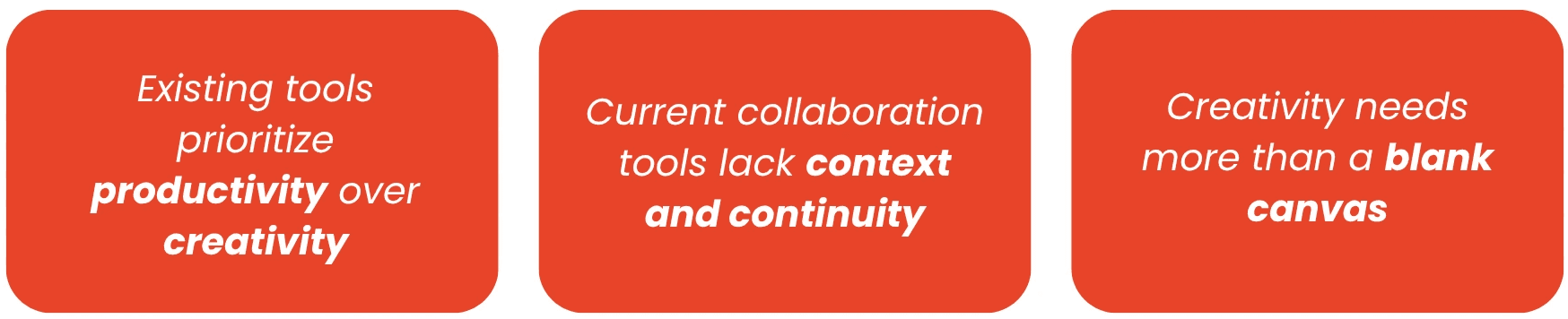
While existing tools were providing useful tools for collaboration, there was nothing helping team members in completing their tasks, and the hand-holding of facilitating processes was still being left to the managers to handle on their own, using up precious time and resources in the work place.

Research · Phase 2

Research · Phase 2

Next, I conducted a set of research interviews, looking to gain more information from both key user groups- Managers and Team Members.

I interviewed 4 potential users- 3 managers across three different industries, as well as a team member who partakes in creative problem solving in the work place.

4 key patterns emerged across the interviews:

Having identified the key challenges teams face during collaboration and creative problem solving, I then shifted my focus to understanding which users had the greatest needs and where Branch could provide the most value.

I created empathy maps to explore the experiences, frustrations, and goals of different potential user types, helping clarify who I needed to design for. Through this process, I narrowed my focus to team members and facilitators as the primary users.

Team members — because they are the individuals actively participating in the creative process and need support overcoming common barriers such as idea generation, alignment, and confidence in sharing their perspectives.

Facilitators/leaders — because they are often responsible for guiding collaboration, maintaining momentum, and ensuring that diverse ideas are heard. Supporting facilitators creates a stronger experience for the entire team, while solving only for individual contributors would not address the larger collaboration challenges.


While alignment and efficiency were important challenges to address, research revealed that the deeper need was not just better organization, it was creating a space where teams could think creatively, communicate effectively, and confidently move ideas forward.

Personas

Personas

With my answer of who I was solving for in hand, I created persona profiles to help define the unique needs of each user.

Rebecca Jones

Team Lead, Marketing

Motivated • Creative • Curious

BIO

Rebecca leads a marketing team in a fast-moving technology company. She is trusted to solve complex creative problems, but constant change and approval bottlenecks make it difficult for her team to work independently.

MOTIVATION

She is preparing for a promotion and wants a more independent team so she can focus on larger strategic responsibilities without compromising work-life balance.

GOALS

• Lead confidently without becoming a creative bottleneck.
• Prepare her team for meetings and decisions.
• Improve creativity and productivity together.

PAIN POINTS

• Team members wait for approval before making decisions.
• Meeting preparation is often incomplete.
• Cross-functional work is slowed by silos and red tape.
• Coaching time is limited as responsibilities grow.

John Robinson

Team member, Marketing

Motivated • Creative • Flexible

BIO

John works with Rebecca on the marketing team. He is highly motivated, but corporate red tape and frequent project reversals make him hesitant to pursue creative ideas independently.

MOTIVATION

John wants to rebuild team autonomy, work more cohesively with his colleagues, and grow his creative problem-solving skills despite a demanding workload.

GOALS

• Reintroduce creative problem solving into his workflow. • Work more cohesively as a group. • Build confidence to share new ideas.

PAIN POINTS

• Approval processes discourage experimentation. • Project reversals reduce confidence in new ideas. • Workload leaves little time for brainstorming. • Management dependence limits autonomy.

For Rebecca, the team manager, I was looking for create a product that would support her team through the creative problem solving process, without being so reliant on her.

Managers need help supporting their team, without having to bare the mental load, thus removing tasks from their workload and freeing up their time and energy for more important tasks.

For John, the team member, I was looking to create a product that allowed him the freedom and flexibility to collaborate with his team, explore new ideas and partake in creative problem solving processes, without the added stress of needing to learn new skills, or feeling as though the burden is being shifted completely onto the team in an effort to free up the manager.

This was a delicate balance, but something I knew could be solved through a product that allowed for collaboration and communication, as well as simply and efficiently supporting users through the creative problem solving process.

This led to me to the question:

Solving the Problem

Solving the Problem

Since clarity and efficiency were important to both my user types, my next step was deciphering how I would organize the app, to ensure the users could rely on the product to support them with a minimal learning curve.

Throughout the user and task flows, I prioritized usability and efficiency while preserving the distinct responsibilities of managers and team members.

Competitive analysis revealed that many collaboration tools either blurred the boundaries between roles or separated them so completely that they felt like two disconnected products.

To strike the right balance, I designed role-specific dashboards and permissions for managers while maintaining a highly collaborative experience for team members. This approach kept both roles aligned, respected existing team hierarchies, and encouraged seamless collaboration across the platform.

Branding

Branding

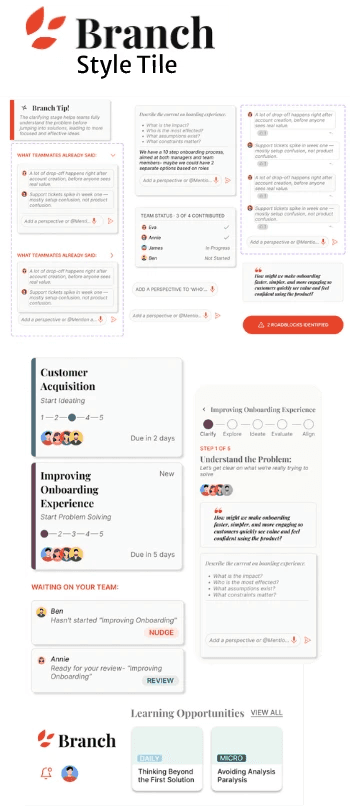
The visual direction for Branch was designed to feel creative, approachable, and refined. Combining editorial typography, a minimal interface, and a warm, intentional colour palette, the design creates a workspace that inspires creative thinking while maintaining the clarity, trust, and structure expected of a professional collaboration platform.

Feature Set

Feature Set


FEATURE 1

Integrated Collaboration Opportunities:

Branch enables seamless teamwork by allowing team members to comment, chat, and contribute throughout every stage of the Creative Problem Solving process. Changes are reflected in real time, ensuring everyone stays aligned, while meeting agendas and discussion summaries are automatically generated from the team's collaborative work.

Problems we’re solving
  1. Fragmented collaboration: Consolidates discussions, feedback, and ideation into one shared workspace.

  2. Team misalignment: Real-time updates keep everyone working from the same source of truth.

  3. Lost meeting outcomes: Automatically captures ideas and generates meeting agendas, reducing manual documentation while preserving key decisions.

FEATURE 1

Integrating Commenting & Chats

Integrated comments and live chat are embedded directly within each stage of the workflow, enabling team members to discuss ideas in context rather than across disconnected communication tools. By tying conversations to specific tasks and decisions, Branch helps teams understand the rationale behind key choices, reducing miscommunication and preserving valuable context. This approach also supports asynchronous collaboration, allowing contributors to review discussions, provide feedback, and stay aligned regardless of when or where they participate.

FEATURE 1

Collaboration and Synthesis

Branch continuously synthesizes team contributions in real time, transforming individual ideas into a shared understanding. As new insights are added, the platform highlights areas of alignment, surfaces opportunities to build upon existing ideas, and ensures every team member's input is meaningfully incorporated throughout the Creative Problem Solving process. By making evolving ideas and decision-making visible to everyone, Branch encourages thoughtful discussion both within and across teams, fostering collaboration that is transparent, iterative, and inclusive.

FEATURE 2

Guided Creative Workflow:

Rather than relying on a dedicated facilitator to guide every session, Branch embeds facilitation directly into the experience. The platform leads users through each stage of the Creative Problem Solving process with contextual guidance, structured activities, and progressive workflows that encourage both independent reflection and collaborative ideation. This allows teams to work asynchronously without losing momentum, transforming meetings into opportunities for deeper discussion, refinement, and consensus instead of process management.

Problems we’re solving
  1. Dependence on facilitators: Embeds expert guidance directly into the workflow, enabling teams to work independently.

  2. Time-consuming meetings: Moves structured activities outside of meetings so synchronous time is spent on discussion and decision-making.

  3. Unstructured collaboration: Guides teams through a clear, step-by-step creative process that maintains momentum and encourages meaningful participation.

FEATURE 2

Embedded Facilitation

Many teams depend on a single facilitator to keep discussions on track, guide activities, and ensure everyone participates. Without that person, sessions can lose direction or become unproductive.

By embedding facilitation into the workflow through structured activities, contextual guidance, and progressive stage navigation, Branch enables teams to confidently navigate the Creative Problem Solving process without requiring constant facilitator involvement.

FEATURE 2

Independence and Collaboration

In traditional workshops, more vocal participants often dominate discussions, while quieter team members have fewer opportunities to contribute.

By supporting independent work before collaborative discussions, Branch gives every team member the opportunity to develop and share ideas at their own pace, leading to more balanced participation and a broader range of perspectives.

FEATURE 2

Making Meetings More Efficient

Research revealed that both managers and team members found Creative Problem Solving sessions to be time-consuming and difficult to facilitate during live meetings. Without adequate preparation, participants often spent valuable meeting time getting up to speed, reviewing ideas, and navigating the process instead of engaging in meaningful discussion and decision-making.

Branch shifts much of the structured work outside the meeting by guiding users through the Creative Problem Solving process asynchronously. As team members contribute, the platform synthesizes their input into meeting agendas, highlights key discussion points, and surfaces decisions requiring team alignment within the Manager Dashboard. This allows meetings to focus on collaboration, refinement, and decision-making—resulting in a more efficient, productive, and engaging creative process.

FEATURE 3

AI Integration:

Branch's integrated AI supports teams throughout the Creative Problem Solving process by combining real-time guidance with intelligent synthesis. Beyond providing contextual tips and facilitation, it continuously analyzes team contributions to identify patterns, highlight areas of consensus and divergence, and surface key insights as they emerge. These findings are automatically compiled into comprehensive reports within the Manager Dashboard, equipping leaders with an up-to-date understanding of team progress and enabling faster, more informed decision-making.

Problems we’re solving
  1. Transforms information into actionable insights by synthesizing large volumes of team contributions in real time.

  2. Bridges diverse perspectives by identifying areas of alignment, disagreement, and emerging themes across the team.

  3. Accelerates decision-making through automated summaries and manager-ready reports that eliminate manual analysis.

FEATURE 3

Live Team Intelligence

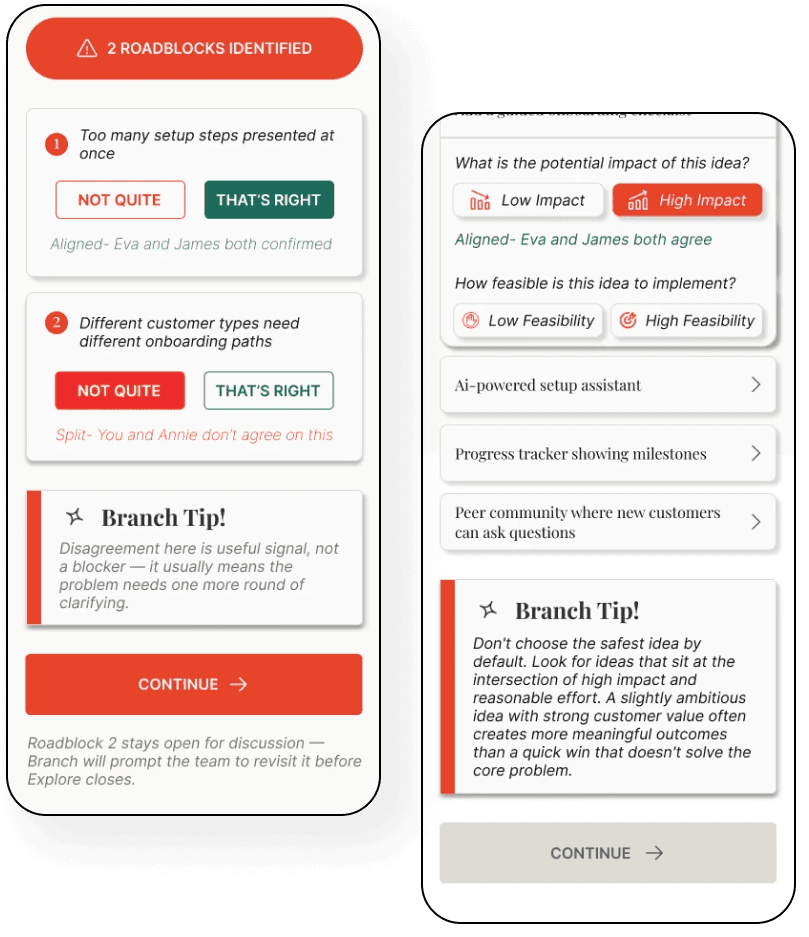
Branch's AI quietly supports users throughout every stage of the workflow through contextual micro-interactions. Dynamic alignment notes instantly identify where teammates agree or differ, helping teams recognize potential roadblocks before they become blockers. Supporting fine-print updates keep users informed about team participation and workflow status, creating a facilitation layer that continuously interprets team input, encourages productive conversations, and keeps the Creative Problem Solving process moving forward.

FEATURE 3

Branch Tips

Branch Tips provide contextual coaching exactly when teams need it most. Rather than interrupting the workflow with generic advice, the AI analyzes team responses and offers timely guidance tailored to the current stage of the Creative Problem Solving process. Whether encouraging deeper exploration, reframing disagreement as a productive opportunity, or suggesting the next step, Branch Tips help teams maintain momentum, build confidence, and make more informed decisions without relying on a live facilitator.

FEATURE 3

Manager Insights

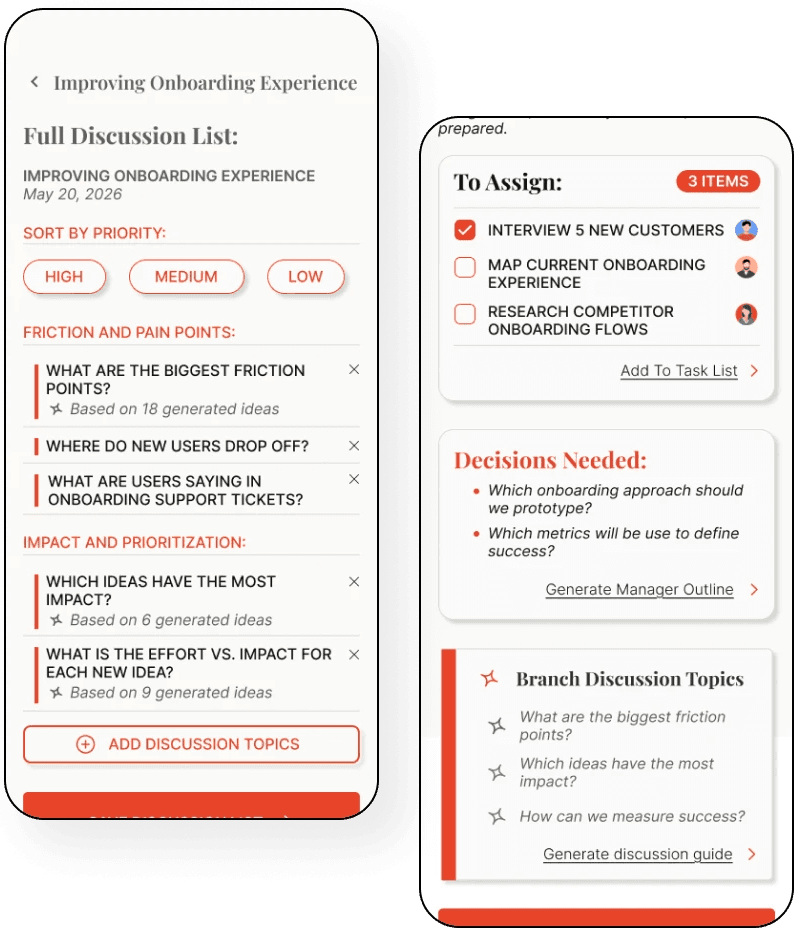
Rather than expecting managers to piece together progress from dozens of comments, meeting notes, and task updates, Branch's AI continuously distills the team's work into a single, actionable dashboard. It highlights project progress, surfaces decisions requiring attention, identifies discussion topics, and proactively notifies managers when work is ready for review or when a teammate may need a reminder to stay on schedule. By delivering the right information at the right time, the dashboard reduces administrative effort and gives managers the time and clarity to focus on coaching their teams and making impactful decisions.

FEATURE 1

Integrated Collaboration Opportunities:

Branch enables seamless teamwork by allowing team members to comment, chat, and contribute throughout every stage of the Creative Problem Solving process. Changes are reflected in real time, ensuring everyone stays aligned, while meeting agendas and discussion summaries are automatically generated from the team's collaborative work.

Problems we’re solving
  1. Fragmented collaboration: Consolidates discussions, feedback, and ideation into one shared workspace.

  2. Team misalignment: Real-time updates keep everyone working from the same source of truth.

  3. Lost meeting outcomes: Automatically captures ideas and generates meeting agendas, reducing manual documentation while preserving key decisions.

FEATURE 1

Integrating Commenting & Chats

Integrated comments and live chat are embedded directly within each stage of the workflow, enabling team members to discuss ideas in context rather than across disconnected communication tools. By tying conversations to specific tasks and decisions, Branch helps teams understand the rationale behind key choices, reducing miscommunication and preserving valuable context. This approach also supports asynchronous collaboration, allowing contributors to review discussions, provide feedback, and stay aligned regardless of when or where they participate.

FEATURE 1

Collaboration and Synthesis

Branch continuously synthesizes team contributions in real time, transforming individual ideas into a shared understanding. As new insights are added, the platform highlights areas of alignment, surfaces opportunities to build upon existing ideas, and ensures every team member's input is meaningfully incorporated throughout the Creative Problem Solving process. By making evolving ideas and decision-making visible to everyone, Branch encourages thoughtful discussion both within and across teams, fostering collaboration that is transparent, iterative, and inclusive.

FEATURE 2

Guided Creative Workflow:

Rather than relying on a dedicated facilitator to guide every session, Branch embeds facilitation directly into the experience. The platform leads users through each stage of the Creative Problem Solving process with contextual guidance, structured activities, and progressive workflows that encourage both independent reflection and collaborative ideation. This allows teams to work asynchronously without losing momentum, transforming meetings into opportunities for deeper discussion, refinement, and consensus instead of process management.

Problems we’re solving
  1. Dependence on facilitators: Embeds expert guidance directly into the workflow, enabling teams to work independently.

  2. Time-consuming meetings: Moves structured activities outside of meetings so synchronous time is spent on discussion and decision-making.

  3. Unstructured collaboration: Guides teams through a clear, step-by-step creative process that maintains momentum and encourages meaningful participation.

FEATURE 2

Embedded Facilitation

Many teams depend on a single facilitator to keep discussions on track, guide activities, and ensure everyone participates. Without that person, sessions can lose direction or become unproductive.

By embedding facilitation into the workflow through structured activities, contextual guidance, and progressive stage navigation, Branch enables teams to confidently navigate the Creative Problem Solving process without requiring constant facilitator involvement.

FEATURE 2

Independence and Collaboration

In traditional workshops, more vocal participants often dominate discussions, while quieter team members have fewer opportunities to contribute.

By supporting independent work before collaborative discussions, Branch gives every team member the opportunity to develop and share ideas at their own pace, leading to more balanced participation and a broader range of perspectives.

FEATURE 2

Making Meetings More Efficient

Research revealed that both managers and team members found Creative Problem Solving sessions to be time-consuming and difficult to facilitate during live meetings. Without adequate preparation, participants often spent valuable meeting time getting up to speed, reviewing ideas, and navigating the process instead of engaging in meaningful discussion and decision-making.

Branch shifts much of the structured work outside the meeting by guiding users through the Creative Problem Solving process asynchronously. As team members contribute, the platform synthesizes their input into meeting agendas, highlights key discussion points, and surfaces decisions requiring team alignment within the Manager Dashboard. This allows meetings to focus on collaboration, refinement, and decision-making—resulting in a more efficient, productive, and engaging creative process.

FEATURE 3

AI Integration:

Branch's integrated AI supports teams throughout the Creative Problem Solving process by combining real-time guidance with intelligent synthesis. Beyond providing contextual tips and facilitation, it continuously analyzes team contributions to identify patterns, highlight areas of consensus and divergence, and surface key insights as they emerge. These findings are automatically compiled into comprehensive reports within the Manager Dashboard, equipping leaders with an up-to-date understanding of team progress and enabling faster, more informed decision-making.

Problems we’re solving
  1. Transforms information into actionable insights by synthesizing large volumes of team contributions in real time.

  2. Bridges diverse perspectives by identifying areas of alignment, disagreement, and emerging themes across the team.

  3. Accelerates decision-making through automated summaries and manager-ready reports that eliminate manual analysis.

FEATURE 3

Live Team Intelligence

Branch's AI quietly supports users throughout every stage of the workflow through contextual micro-interactions. Dynamic alignment notes instantly identify where teammates agree or differ, helping teams recognize potential roadblocks before they become blockers. Supporting fine-print updates keep users informed about team participation and workflow status, creating a facilitation layer that continuously interprets team input, encourages productive conversations, and keeps the Creative Problem Solving process moving forward.

FEATURE 3

Branch Tips

Branch Tips provide contextual coaching exactly when teams need it most. Rather than interrupting the workflow with generic advice, the AI analyzes team responses and offers timely guidance tailored to the current stage of the Creative Problem Solving process. Whether encouraging deeper exploration, reframing disagreement as a productive opportunity, or suggesting the next step, Branch Tips help teams maintain momentum, build confidence, and make more informed decisions without relying on a live facilitator.

FEATURE 3

Manager Insights

Rather than expecting managers to piece together progress from dozens of comments, meeting notes, and task updates, Branch's AI continuously distills the team's work into a single, actionable dashboard. It highlights project progress, surfaces decisions requiring attention, identifies discussion topics, and proactively notifies managers when work is ready for review or when a teammate may need a reminder to stay on schedule. By delivering the right information at the right time, the dashboard reduces administrative effort and gives managers the time and clarity to focus on coaching their teams and making impactful decisions.

Usability Testing

Usability Testing

For Branch to succeed, it needed to become a natural part of a team's daily workflow—not just another app sitting unused on the home screen. Achieving this meant designing an experience that balanced intuitive interactions, meaningful guidance, and seamless integration into existing team processes, making it easy for users to return to throughout their workday.

In order to ensure I was moving in the right direction at every stage, I relied heavily on Usability testing, which brought forward a lot of insight- first leading to important content additions, and later leading to a visual revamp.

I ran a series of Usability tests, first with my lo-fidelity frames with a strong focus on content, next as a mid-fidelity, with a focus on usability, and lastly as a high-fidelity product, focusing on collaboration and integration into the workplace.

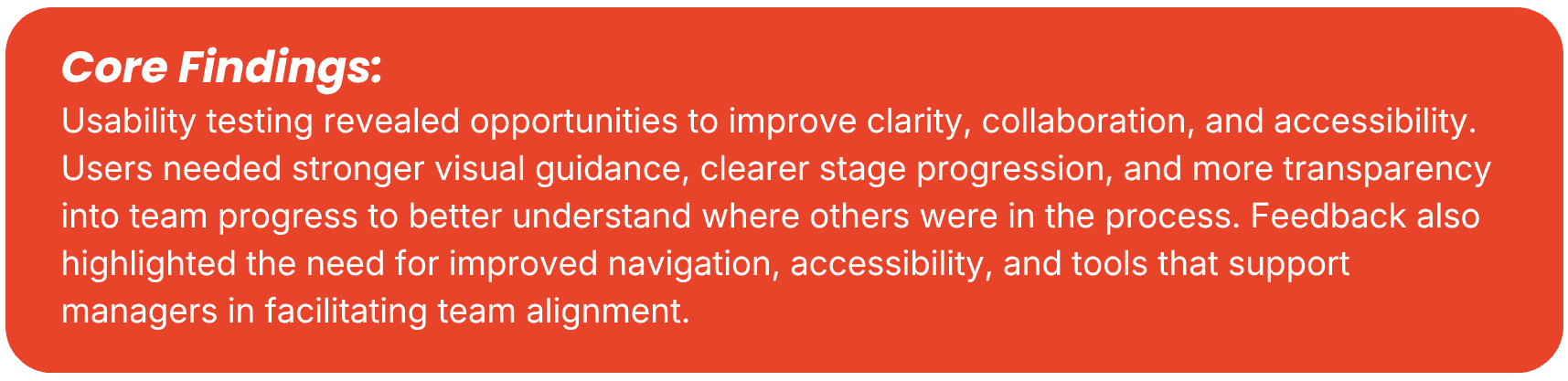
My Usability Testing brought forward 7 main pain points- 4 critical.

CRITICAL FINDING — 3/5 USERS

Feedback from usability testing highlighted two collaboration-focused improvements for the initial Clarify screen, prompting refinements that better supported communication and teamwork

Usability testing uncovered several collaboration challenges, including ambiguous roadblock validation, uncertainty around asynchronous team progress, and limited visibility into teammates' perspectives. I addressed these by enabling independent validation of each roadblock, introducing contextual prompts that explain how work syncs across team members, and incorporating real-time alignment indicators that encourage meaningful discussion around differing viewpoints rather than simply driving consensus.

CRITICAL FINDING — 4/5 USERS

The input field in the Clarify screen brought about two pain-points: Disappearing prompts made it difficult to remember all the information that was being asked of users, and the design of the input box left users unsure if their answers were being submitted and recorded.

Adding a clear input box, as well as a "send" icon, helped clarify for users where to type and how to submit. Adding a static section where the prompts remain visible, as opposed to disappearing, allowed users to continually reference their prompt, leading to more in depth answers and better information sharing between teammates.

CRITICAL FINDING — 4/5 USERS

The final Align page felt disjointed from the rest of the flow- providing documents and meeting prep, without the context of how Branch made the final decisions and recommendations.

User testing revealed that the original Align screen felt disconnected from the rest of the workflow and lacked meaningful closure. In response, I redesigned the experience to provide a comprehensive project summary, including a final progress tracker, AI-curated recommendations, highlighted winning ideas supported by team discussions, and clearly assigned next steps. This transformed the screen from a simple meeting recap into an actionable handoff, giving teams greater transparency, accountability, and confidence as they moved from ideation to execution.

CRITICAL FINDING — 3/5 USERS

Testing showed that restricting users to their own work made the process feel solitary and disconnected. Participants wanted greater visibility into teammates' contributions and opportunities to discuss decisions throughout each stage, creating a more collaborative and engaging experience.

SECONDARY FINDING — 2-3/5 USERS

All three secondary findings were brought up by 2-3 testers

CRITICAL FINDING

Feedback from usability testing highlighted two collaboration-focused improvements for the initial Clarify screen, prompting refinements that better supported communication and teamwork

Usability testing uncovered several collaboration challenges, including ambiguous roadblock validation, uncertainty around asynchronous team progress, and limited visibility into teammates' perspectives. I addressed these by enabling independent validation of each roadblock, introducing contextual prompts that explain how work syncs across team members, and incorporating real-time alignment indicators that encourage meaningful discussion around differing viewpoints rather than simply driving consensus.

CRITICAL FINDING

The input field in the Clarify screen brought about two pain-points: Disappearing prompts made it difficult to remember all the information that was being asked of users, and the design of the input box left users unsure if their answers were being submitted and recorded.

Adding a clear input box, as well as a "send" icon, helped clarify for users where to type and how to submit. Adding a static section where the prompts remain visible, as opposed to disappearing, allowed users to continually reference their prompt, leading to more in depth answers and better information sharing between teammates.

CRITICAL FINDING

The final Align page felt disjointed from the rest of the flow- providing documents and meeting prep, without the context of how Branch made the final decisions and recommendations.

User testing revealed that the original Align screen felt disconnected from the rest of the workflow and lacked meaningful closure. In response, I redesigned the experience to provide a comprehensive project summary, including a final progress tracker, AI-curated recommendations, highlighted winning ideas supported by team discussions, and clearly assigned next steps. This transformed the screen from a simple meeting recap into an actionable handoff, giving teams greater transparency, accountability, and confidence as they moved from ideation to execution.

CRITICAL FINDING

Testing showed that restricting users to their own work made the process feel solitary and disconnected. Participants wanted greater visibility into teammates' contributions and opportunities to discuss decisions throughout each stage, creating a more collaborative and engaging experience.

SECONDARY FINDING

All three secondary findings were brought up by 2-3 testers

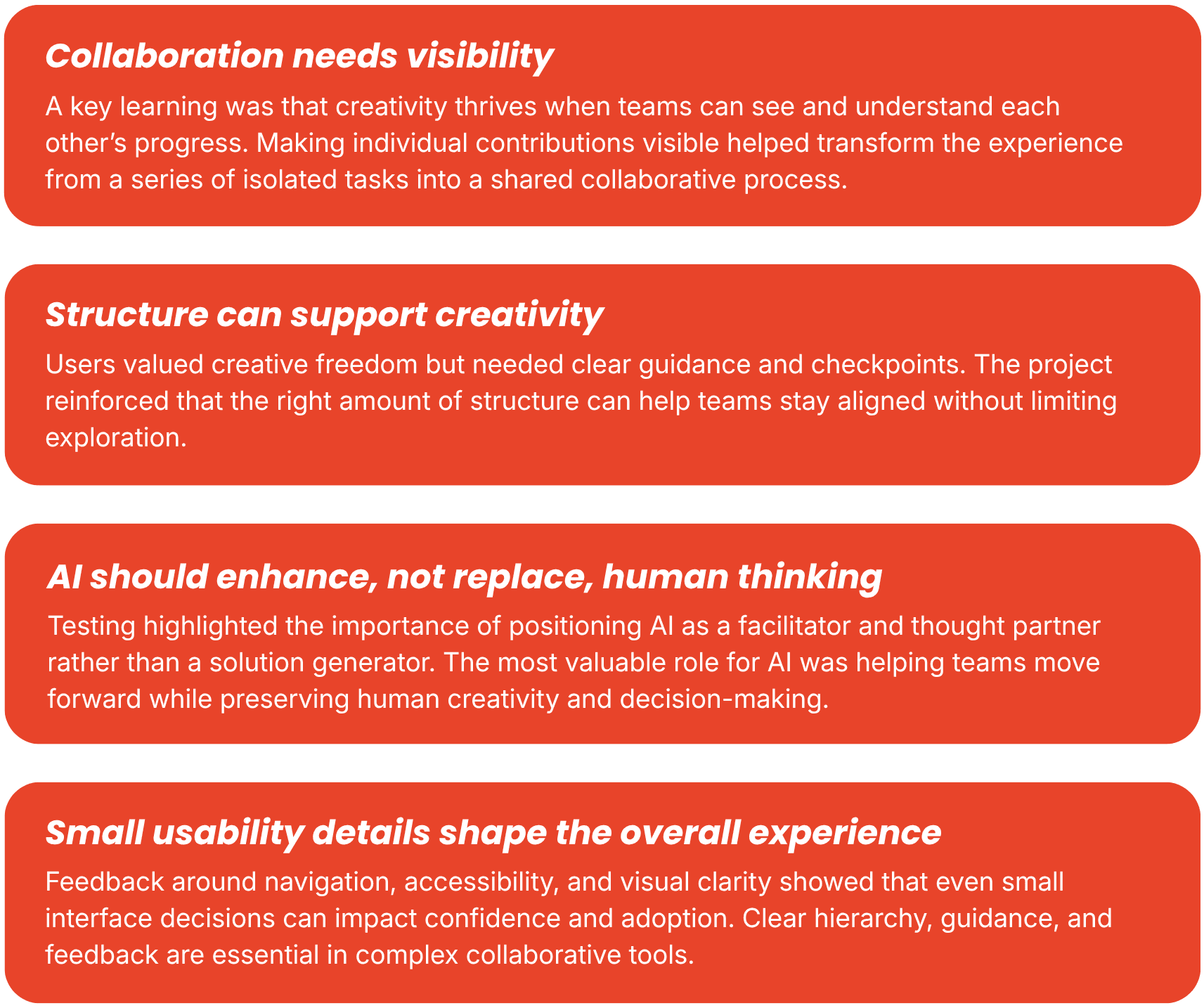
Reflections

Reflections

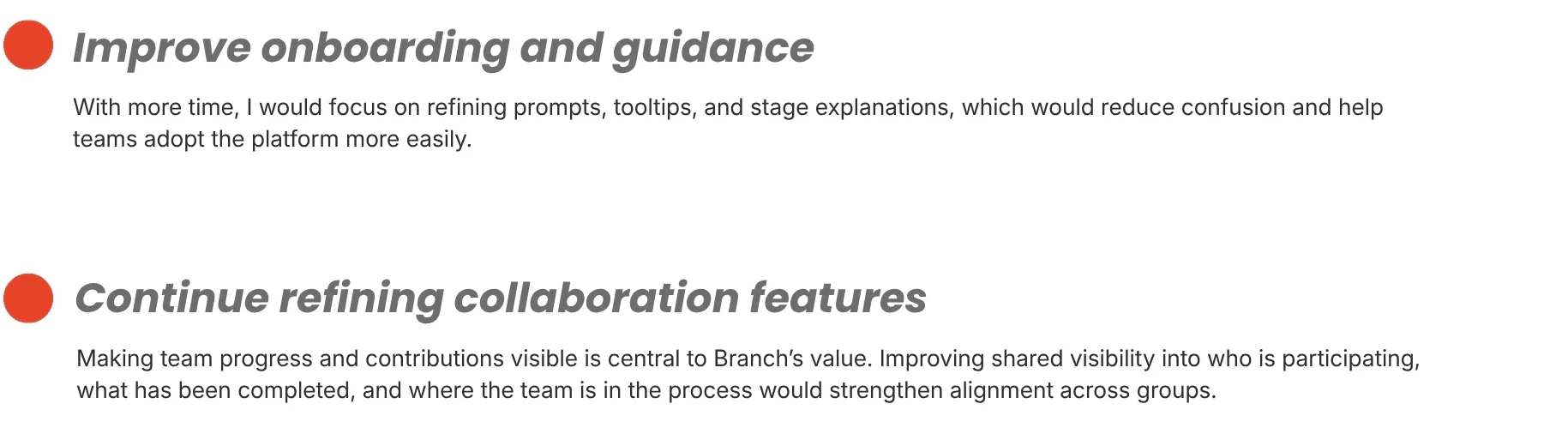
Next Steps

Next Steps